
What's New in eCADSTAR 2026.0
Here’s a snapshot of what’s new in eCADSTAR 2026.0. Discover the full range of new features by registering for a free evaluation
Menu
eCADSTAR 2026.0 reflects our ongoing commitment to innovation and to addressing the evolving needs of our users.
Featuring new and improved capabilities, this release optimizes your workflow from design to library management, allowing for faster and more efficient execution. Upgrade today to make the most of these updates.
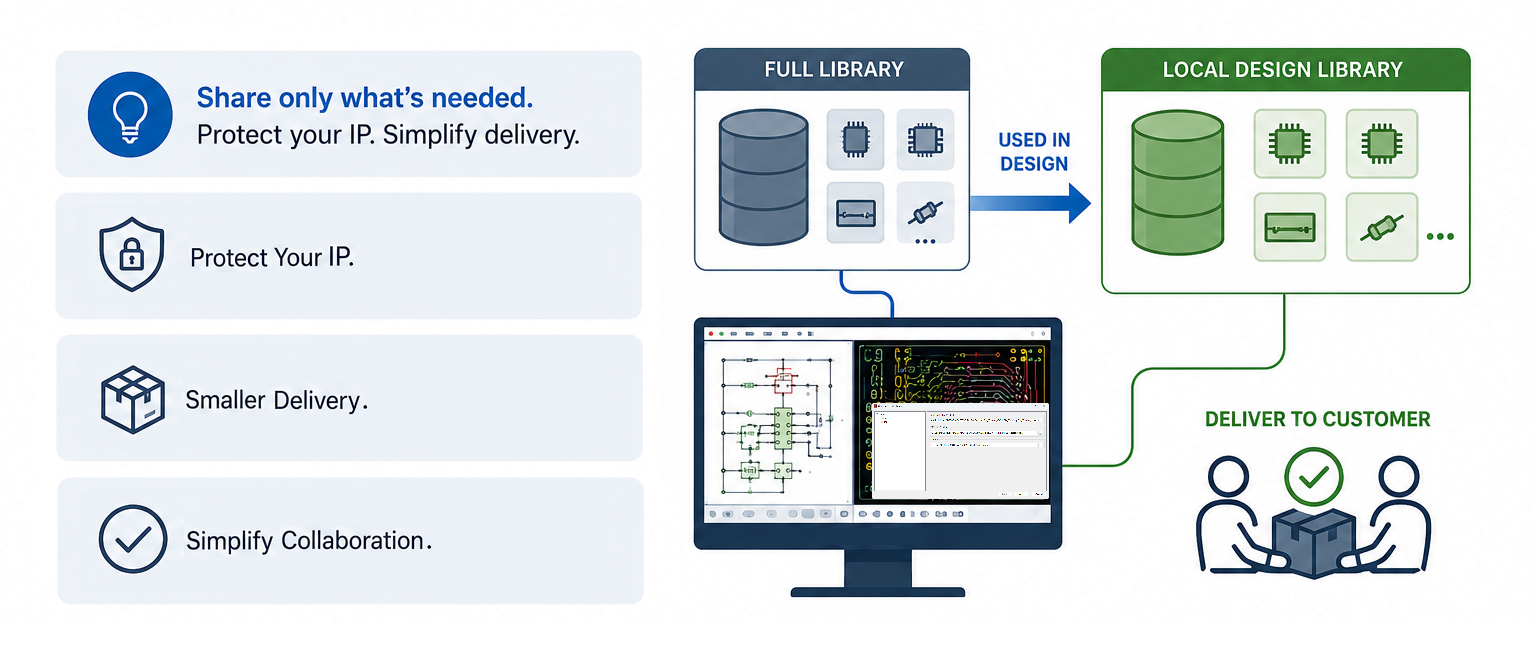
Local Design Library Generation
Create a design library from your old Schematic and PCB design.
Instead of sharing your full library with your customer, just share a design library that only contains the library data used in the design.
Or if you need to modify an old design that may contain obsolete components that are no longer present in your master library, you can still obtain the old library data — without cluttering your master library.
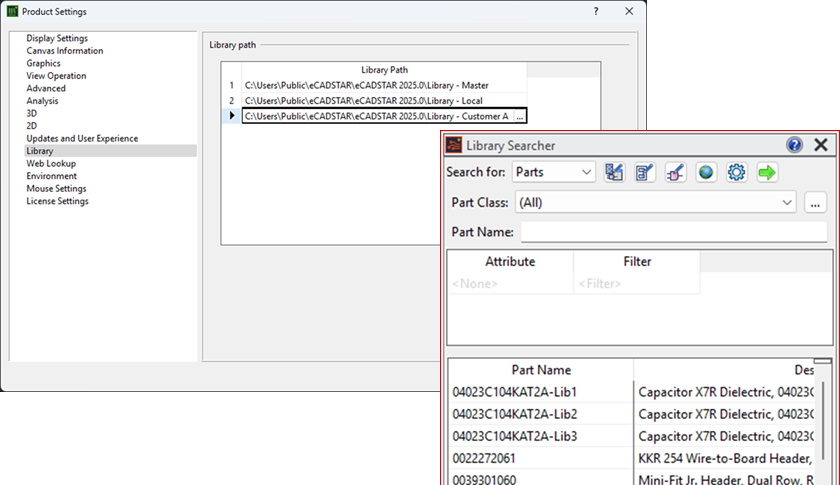
Library Searcher searching multiple library paths
When multiple library paths are defined, the Library Searcher now searches across all defined libraries automatically, eliminating the need to switch manual between them — saving valuable time.
If the same part exists in more than one library, only one result is shown, prioritized according to library order (first in the list).
3D Multiple Libraries support
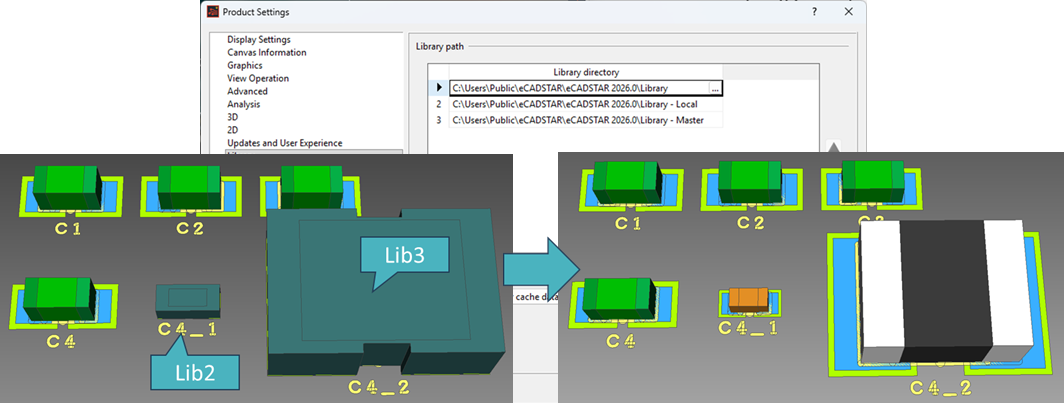
3D models located in secondary library paths are now fully supported, ensuring the correct 3D model is displayed without additional configuration.
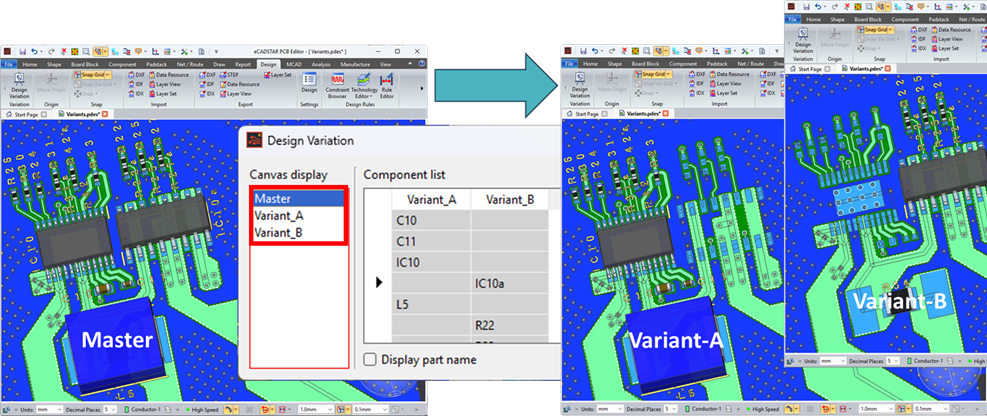
3D Variation support
Supports fitted and unfitted components, as well as alternate parts, ensuring the correct 3D model, placement outline, and reference designator symbol are displayed based on the selected variant in 3D View.
Pin-Delay support for High-Speed Design
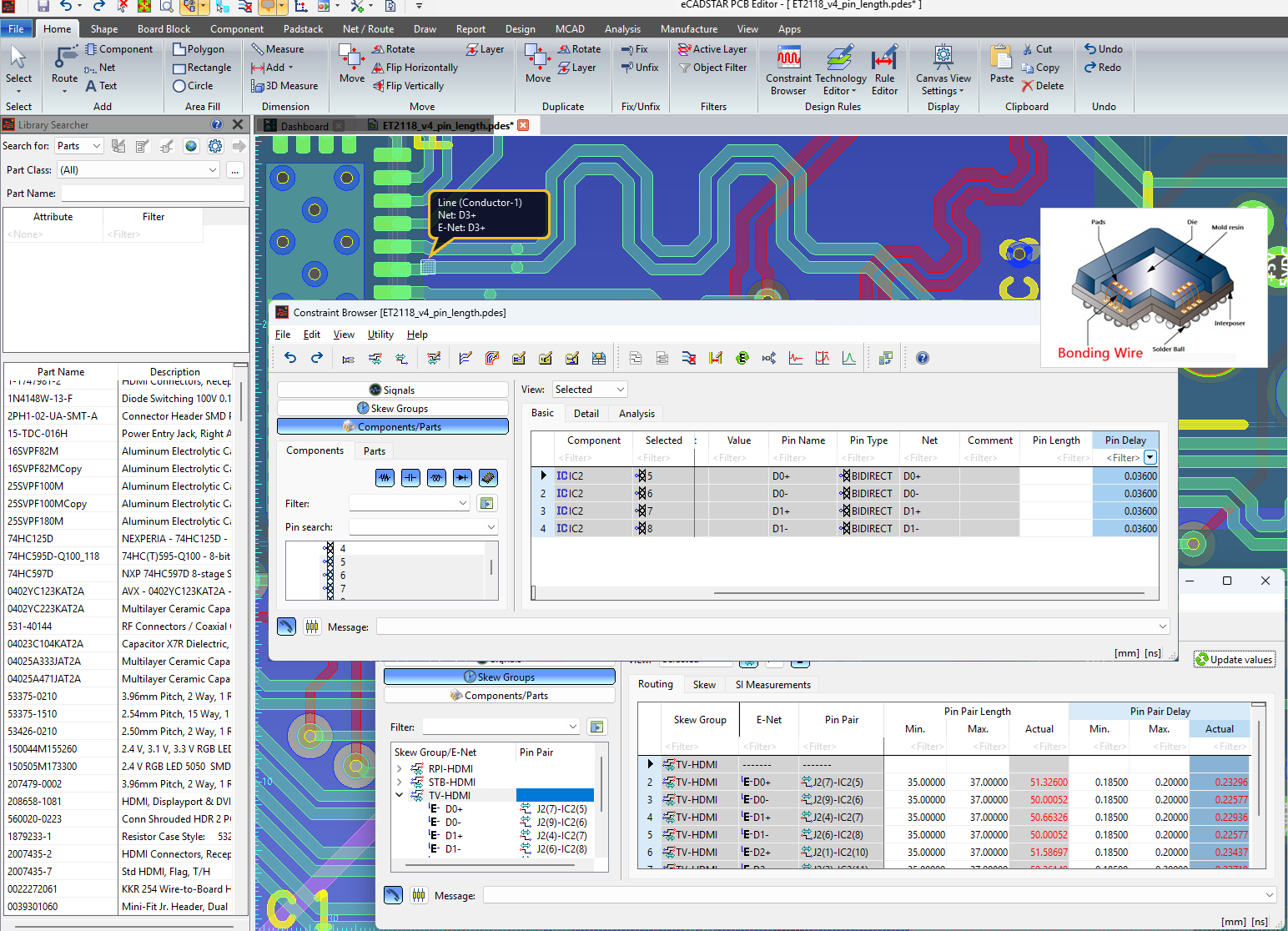
In addition to the already supported Pin-Length, Pin-Delay is now supported as well (up to the choice of the electronic engineer or PCB designer).
Pin-Delay represents the time required for a signal to travel from the die contact pad to the solder pad in the package through the internal connection (bond wire).
Support for Pin-Delay support is essential in todays high-speed PCB design, helping to manage the timing and signal integrity of high-frequency signals.
The lengthen command will adjust the routing patterns to meet the required delay, taking the Pin-Delay into account, helping to prevent issues like skew or jitter in high-speed designs.
The Pin-Delay can be defined both at part level in the Library Editor and component pin level in the Constraint Browser of the PCB Editor.
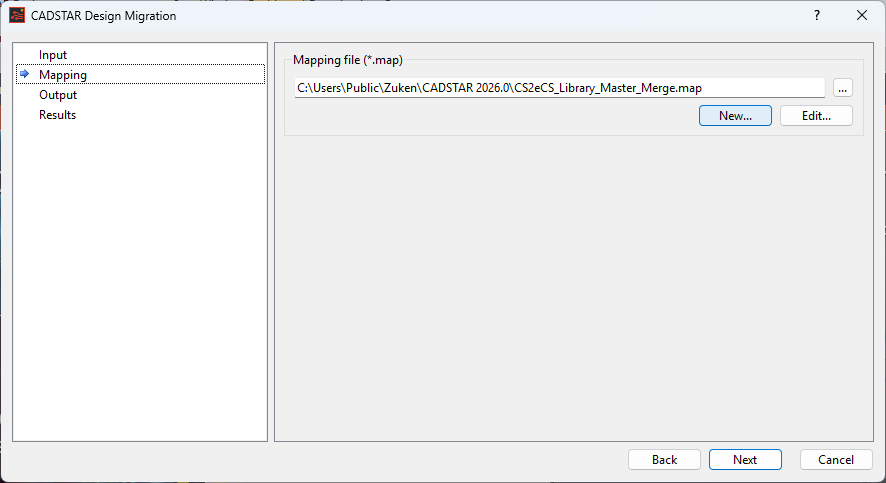
Improved CADSTAR to eCADSTAR migration for better consistency between the eCADSTAR library and designs
Use the mapping file to define migration rules in advance, such as case sensitivity, correction of misdefined CADSTAR parts, and completion of partial pin mappings.
Discover what the new eCADSTAR 2026.0 update means more for you.
Determine Your Next Steps

- Pages
November 12, 2018
Contact
Got any questions? Get in contact with us today!

- Software Trial
November 14, 2019
Demonstration Request
How can we customize our demo just for you? Let us know what you're hoping to learn about our software.
Read now
Complete the short form and we’ll be in touch to arrange your personalized demo of eCADSTAR.

- Software Trial
October 24, 2020
Evaluation Request
Start a 30-day free trial and discover how eCADSTAR can help you achieve your PCB design goals.
Read now
Upgrade to eCADSTAR with a 30-day FREE trial!